[how it works]
four steps to a captioned video
From a raw clip to a video with captions burned in, without leaving your browser. The pictures below are the real app.
-
[step 1]
drop in your video
Open the app and drag an MP4 or MOV onto the drop area, or click "or choose a file". Nothing is uploaded: the file stays on your computer.

-
[step 2]
pick the language and transcribe
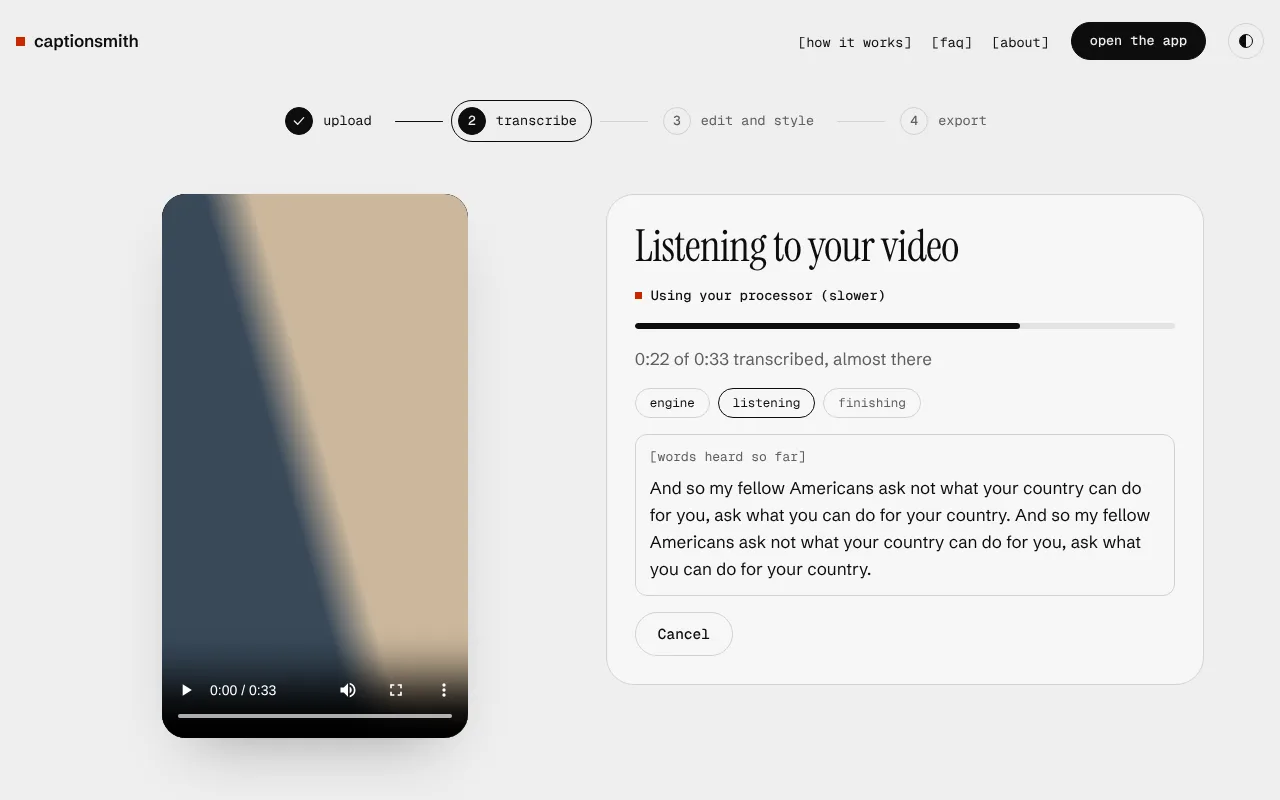
Choose the language being spoken, or Auto-detect. English can use the quick Fast engine. Hindi and other languages use the Best engine, a one time download that is then saved on your computer.
While it works you see which part of your computer is doing the job, how much of the video is done, a time estimate, and the words as they are heard.
-
[step 3]
fix the words and pick a style
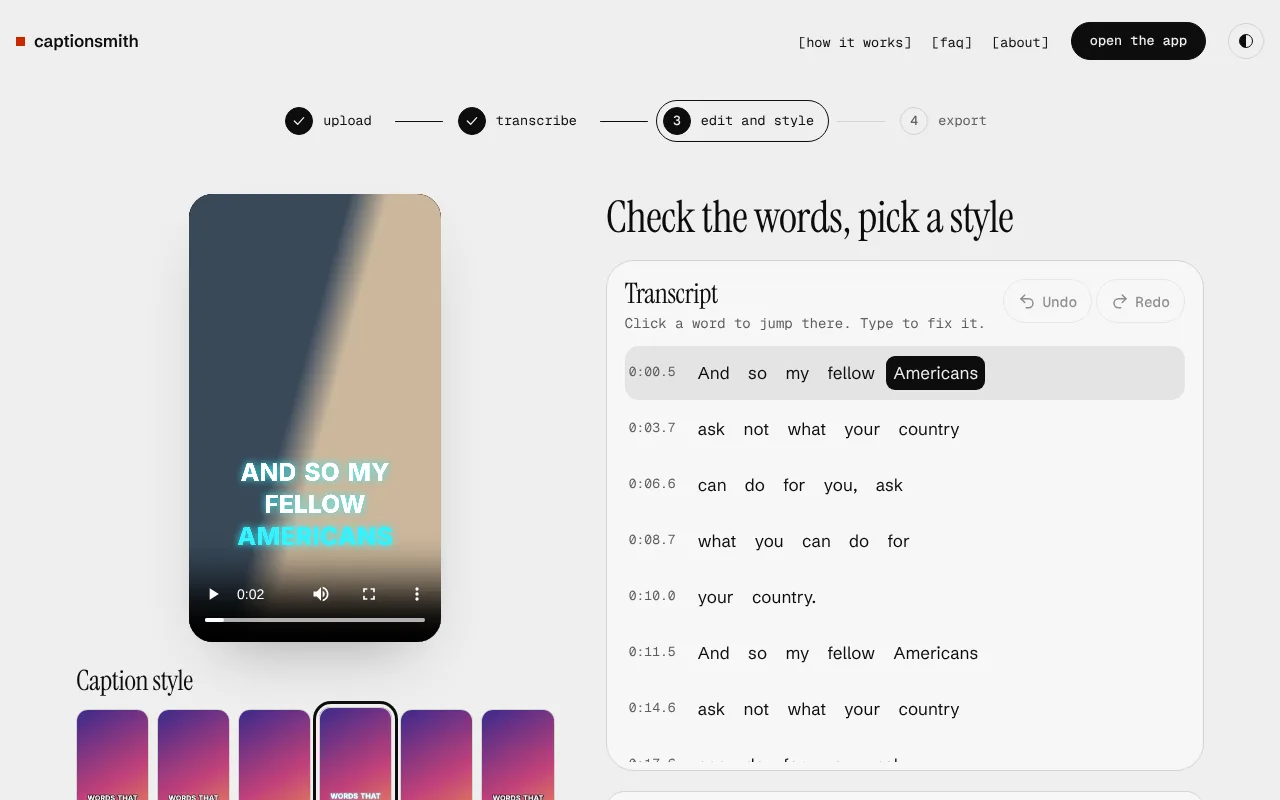
Your video plays with the captions on top, exactly as they will export. Click any word to jump there, type to fix it, and use Undo if you change your mind. Pick a caption style from the thumbnails under the video.
If part of the video has sound but no words, the transcript shows "Possibly missed words here" with a button to listen to just that part again.
-
[step 4]
export
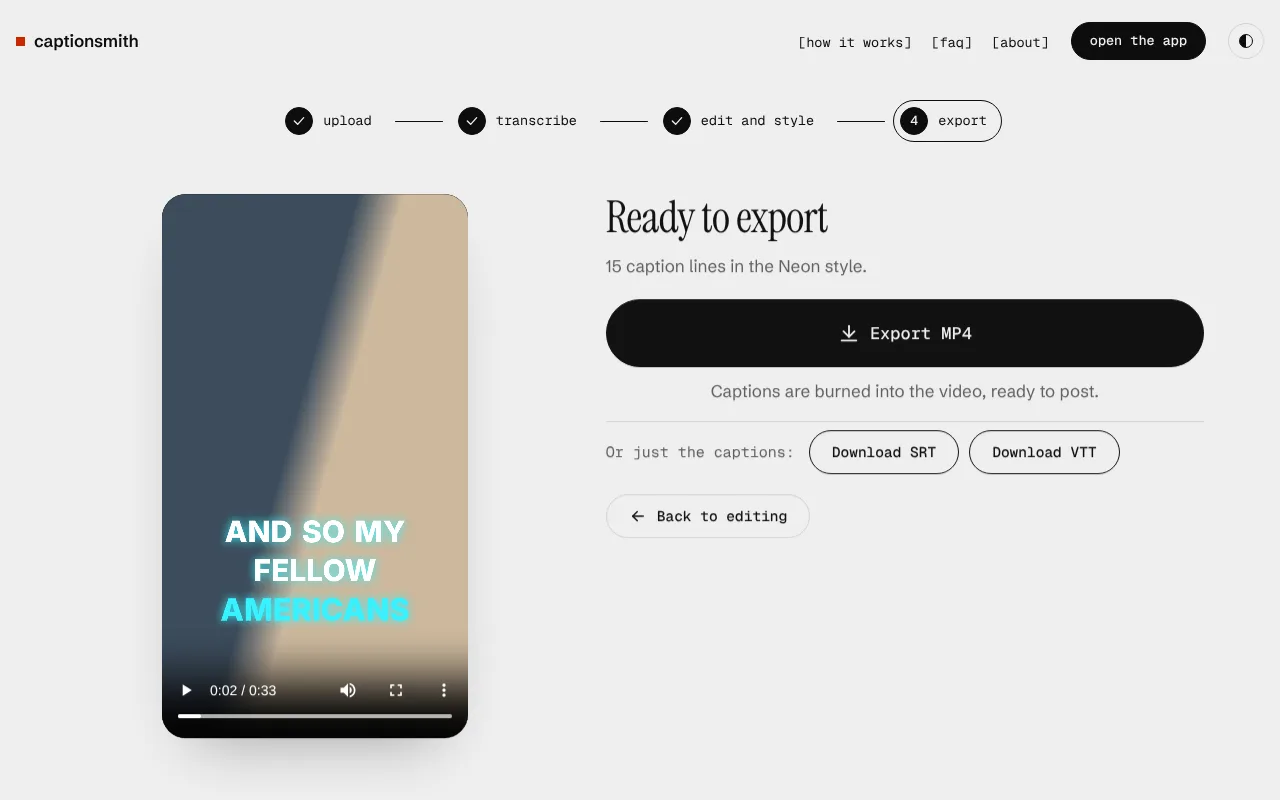
Click Export MP4. The app draws the captions onto every frame and saves a new video with your original sound, ready to post. Need only the captions? Download an SRT or VTT file instead.
good to know
- Your work is saved in your browser as you go. A refresh picks up where you left off.
- Desktop Chrome or Edge is the best choice. They can use your graphics chip, which is much faster.
- Hindi is in Beta. Please read through the words before you export.